Open the EUIPO website and the official TOTP Authenticator app — you'll need it to generate codes. It's available for iOS on the App Store and for Android on Google Play.
Open the EUIPO website → Sign in to your account on the site → If you're setting up protection for the first time, the system will automatically prompt you to enable two-factor authentication at login.
The EUIPO service provides a unique QR code. Don't show it to anyone, so your account can't be hacked.
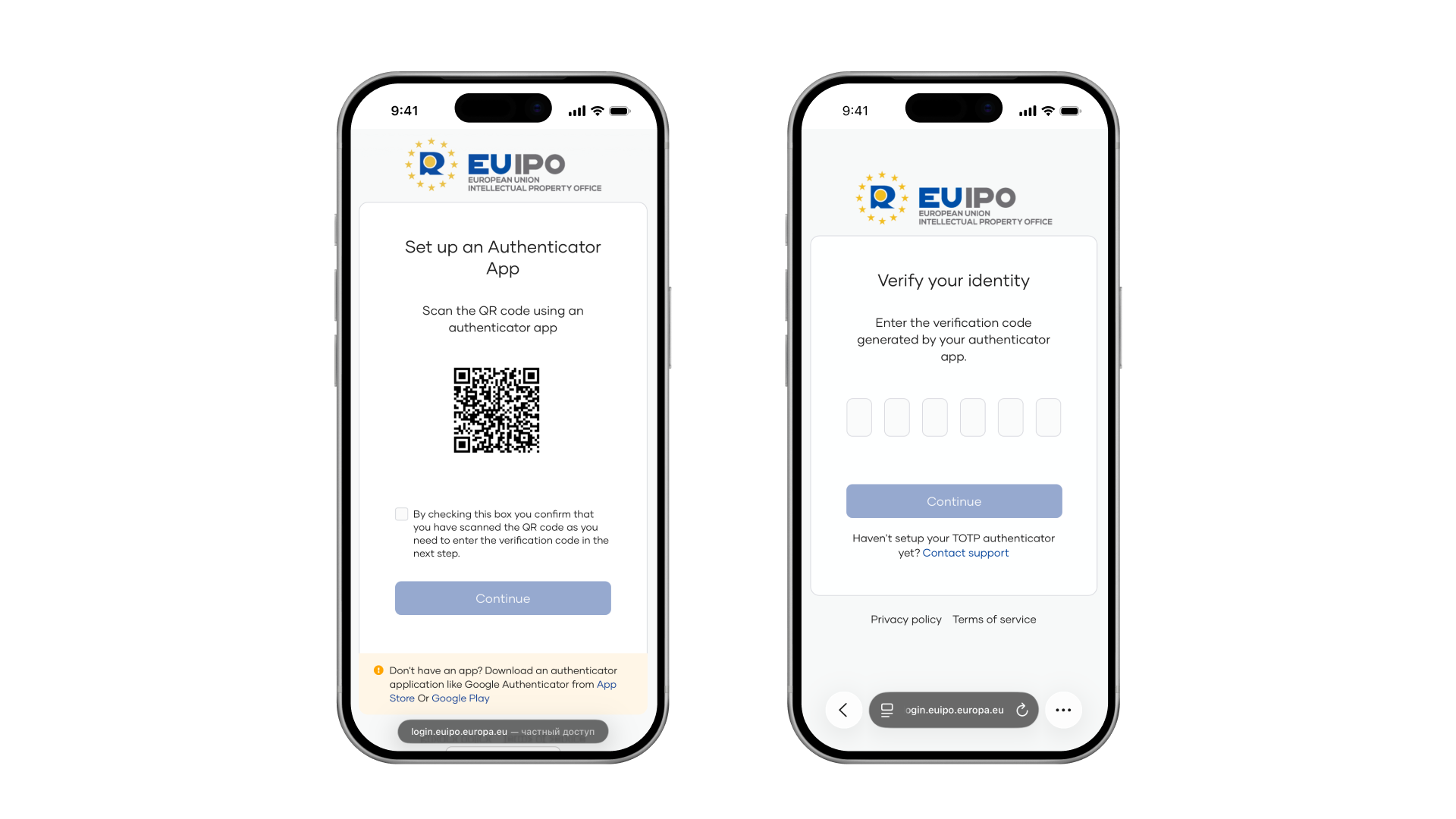
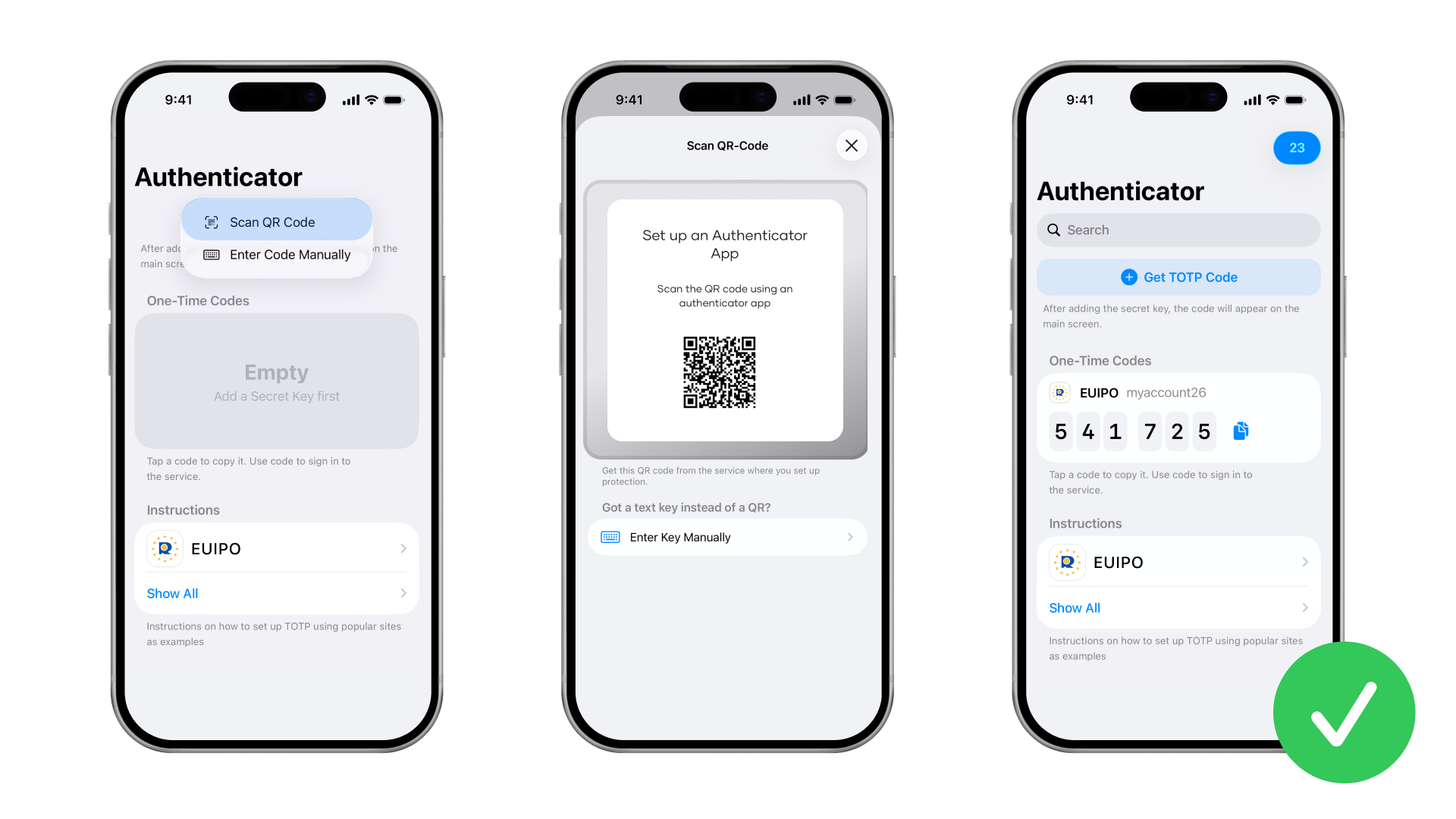
The QR code must be added to the authenticator app you installed by scanning it. The authenticator will then use the key to generate TOTP codes for your account.
Enter the code from the authenticator into the appropriate field on the EUIPO website. Watch the timer: the code changes once the time runs out. Make sure to enter it in EUIPO and click “Continue” before the timer expires.
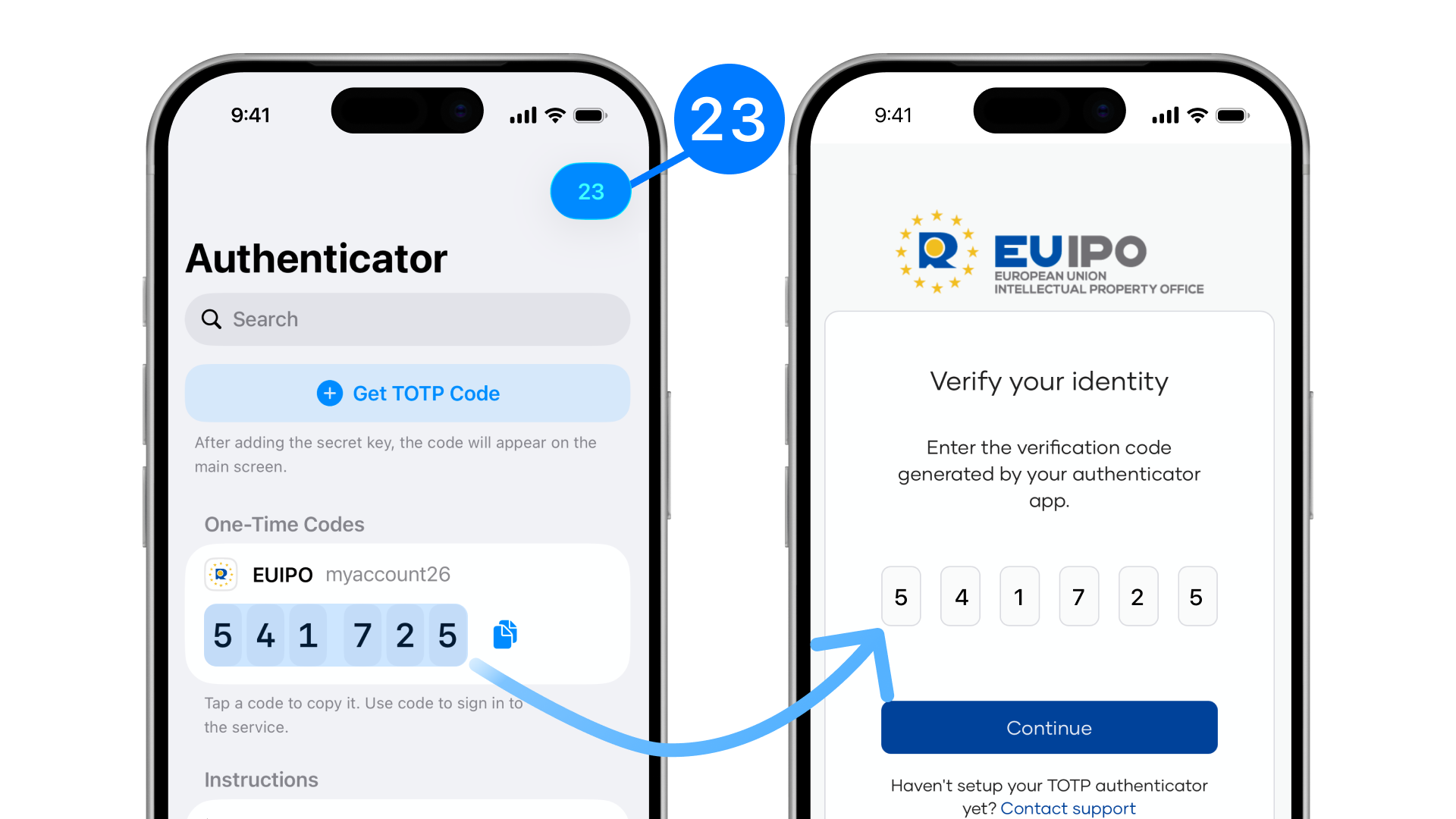
Done. Now, when signing in to your account, you'll need to enter your username, your password, and a one-time TOTP code from the app.