
To secure access to your Monidenum account, you can enable a TOTP code: a one-time 6-digit code generated in an authenticator app and renewed every 30 seconds. It is requested at every login, after your username and password. This guide explains how to enable it.
Which TOTP app for Monidenum?
Monidenum works with any app that supports the TOTP standard. We recommend the free TOTP Authenticator app, available for iOS on the App Store and for Android on Google Play. The app generates codes offline — no internet connection required.
Setting up the TOTP code for Monidenum
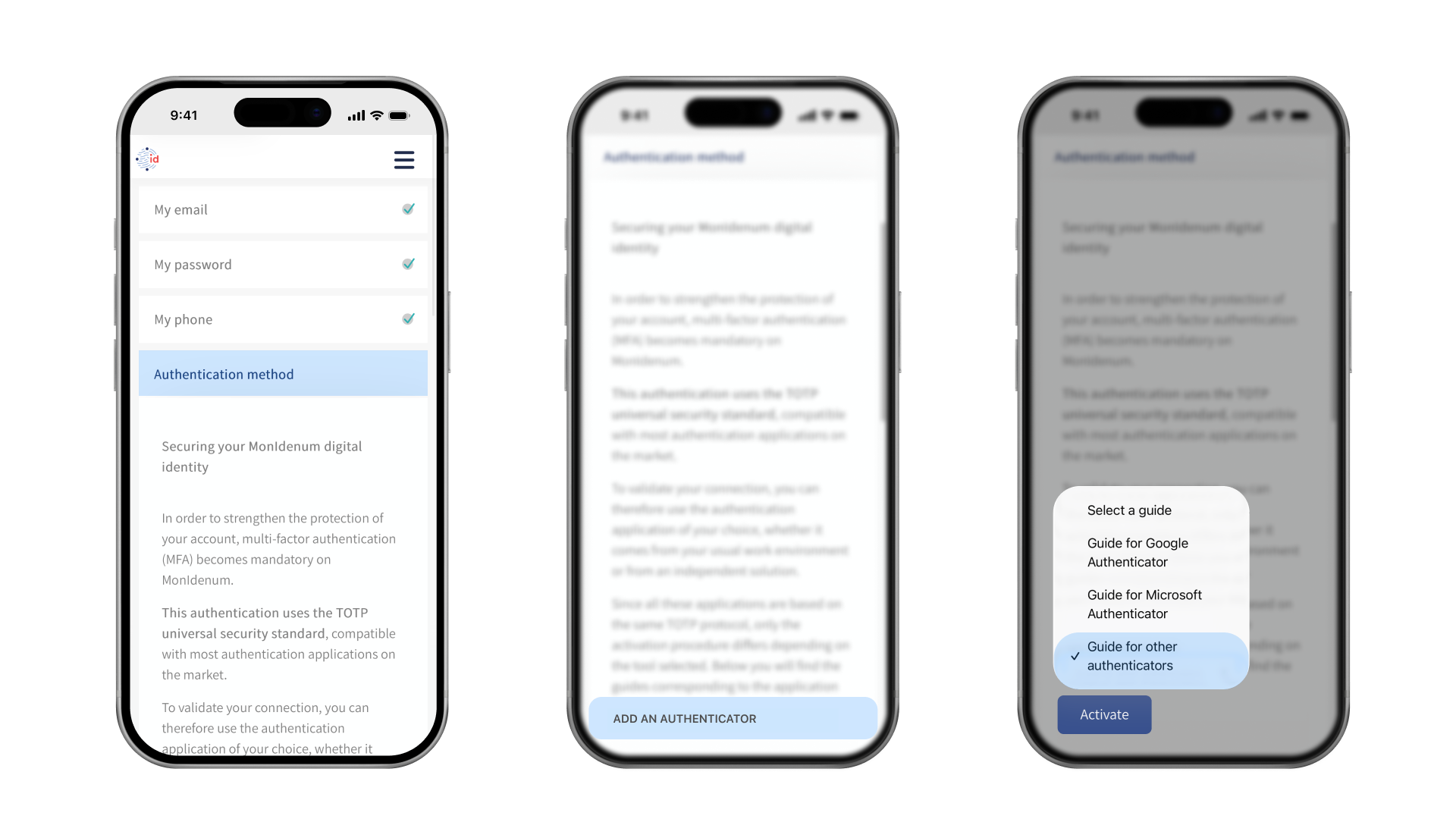
Open the Monidenum website → Start → Enter your details → Authentication method → Select the "Guide for other authenticators" option → click the "Activate" button
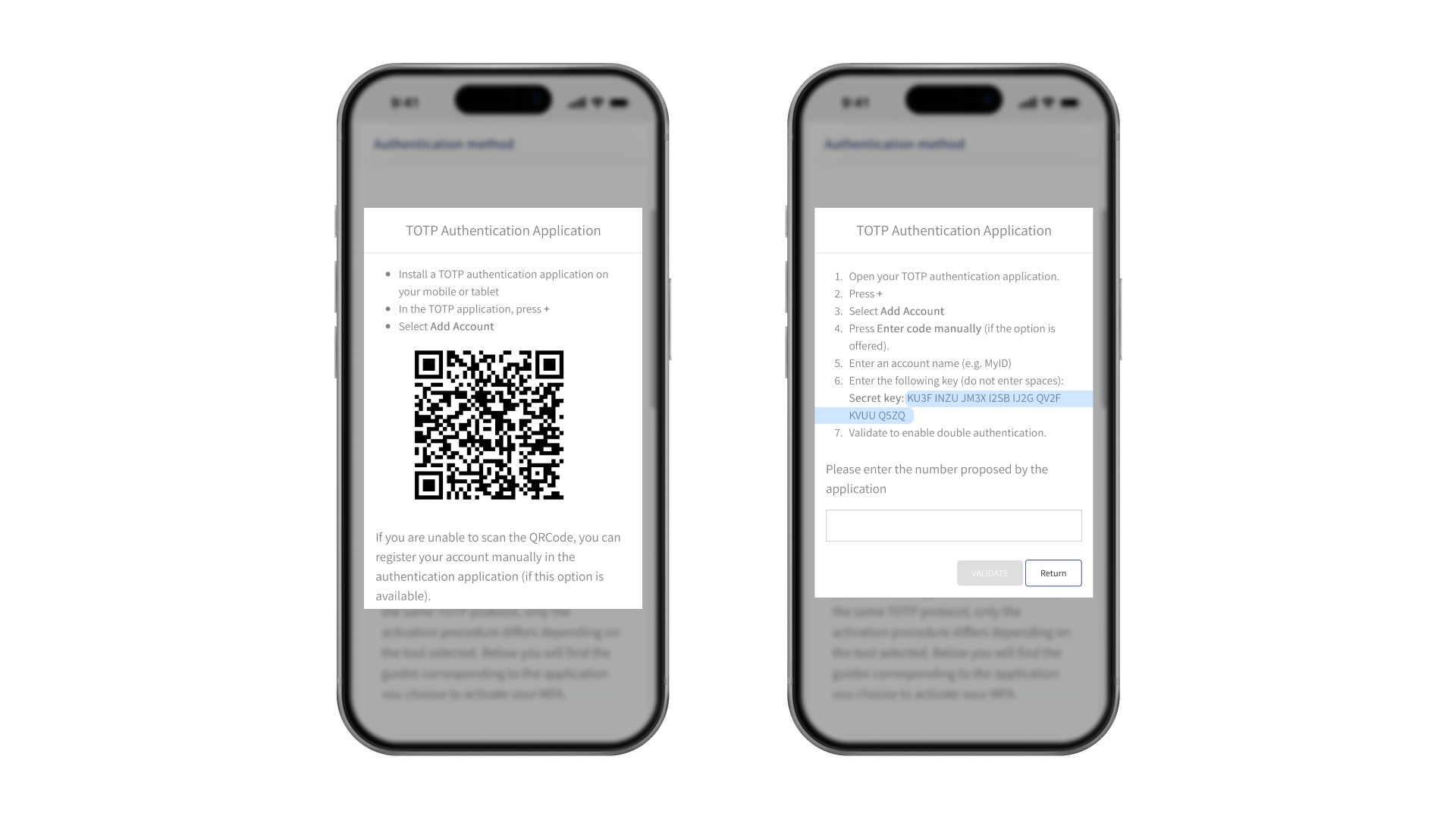
Monidenum issues a unique 32-character secret key. Don't share it with anyone, so that your account can't be hacked.
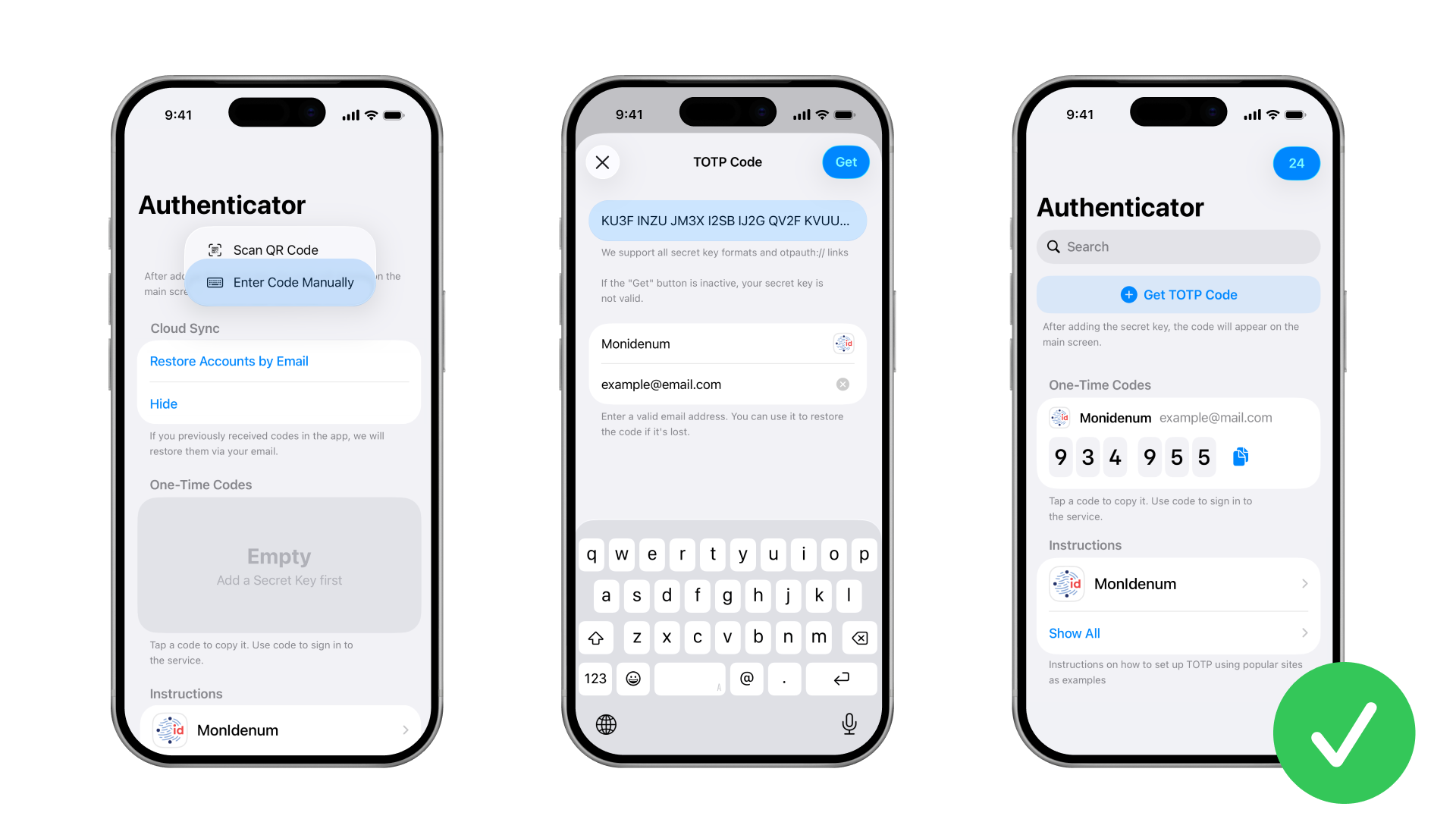
The key needs to be added to the authenticator app you installed. The authenticator will then use the key to generate TOTP codes for your account.
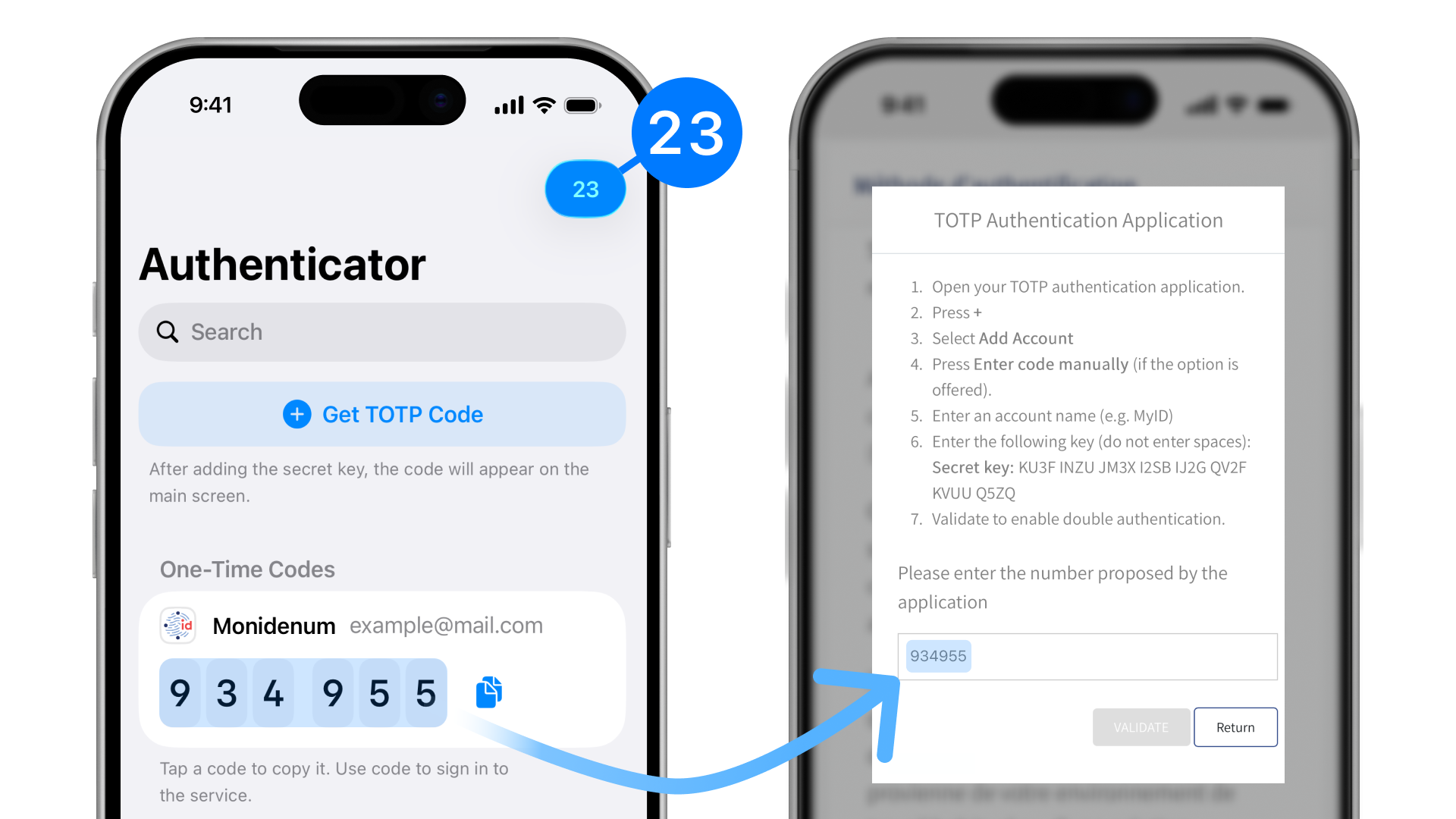
Enter the code from the authenticator into the appropriate field on Monidenum. Keep an eye on the timer: once the time runs out, the code will change. You need to enter it in Monidenum and click "Continue" before the timer expires.
Done. Now, when logging in to your account, you'll need to enter your username, password, and a one-time TOTP code from the app.
TOTP code not working — what to do?
The code is not accepted
The TOTP code changes every 30 seconds. If you enter the code too slowly, it expires before you submit it — wait for the timer to restart and enter the fresh code right away.
If the code is never accepted, the secret key was most likely added to the app with an error. Delete the entry in the authenticator app and set up TOTP again.
Wrong time on your smartphone
TOTP codes are calculated from the current time. If your smartphone's clock is off by even a minute, the codes won't match. Enable automatic date and time settings on your device.
Lost your smartphone or deleted the app
Without the secret key, no new codes can be generated. Contact Monidenum support to reset two-factor authentication, then set it up again following this guide.